Once a month the salon runs a make-up workshop for six people. A studio teaches a yoga class for twelve. Sign-ups come in as messages, you keep a list in a notebook, and the seventh person writes when it's already full.
Sessions like these don't need a "one client, one slot" calendar; they need a slot with a limited number of places. On Emit that's capacity: how many bookings can exist in the same slot. Once the places are filled, the slot is no longer offered.
If booking isn't turned on yet, start with online booking from scratch.
Before you start: where things are
Log in at emit.rs/en/login. In the left menu, under Settings, click Site Settings, then in the Sections menu on the left of the page click Reservations.
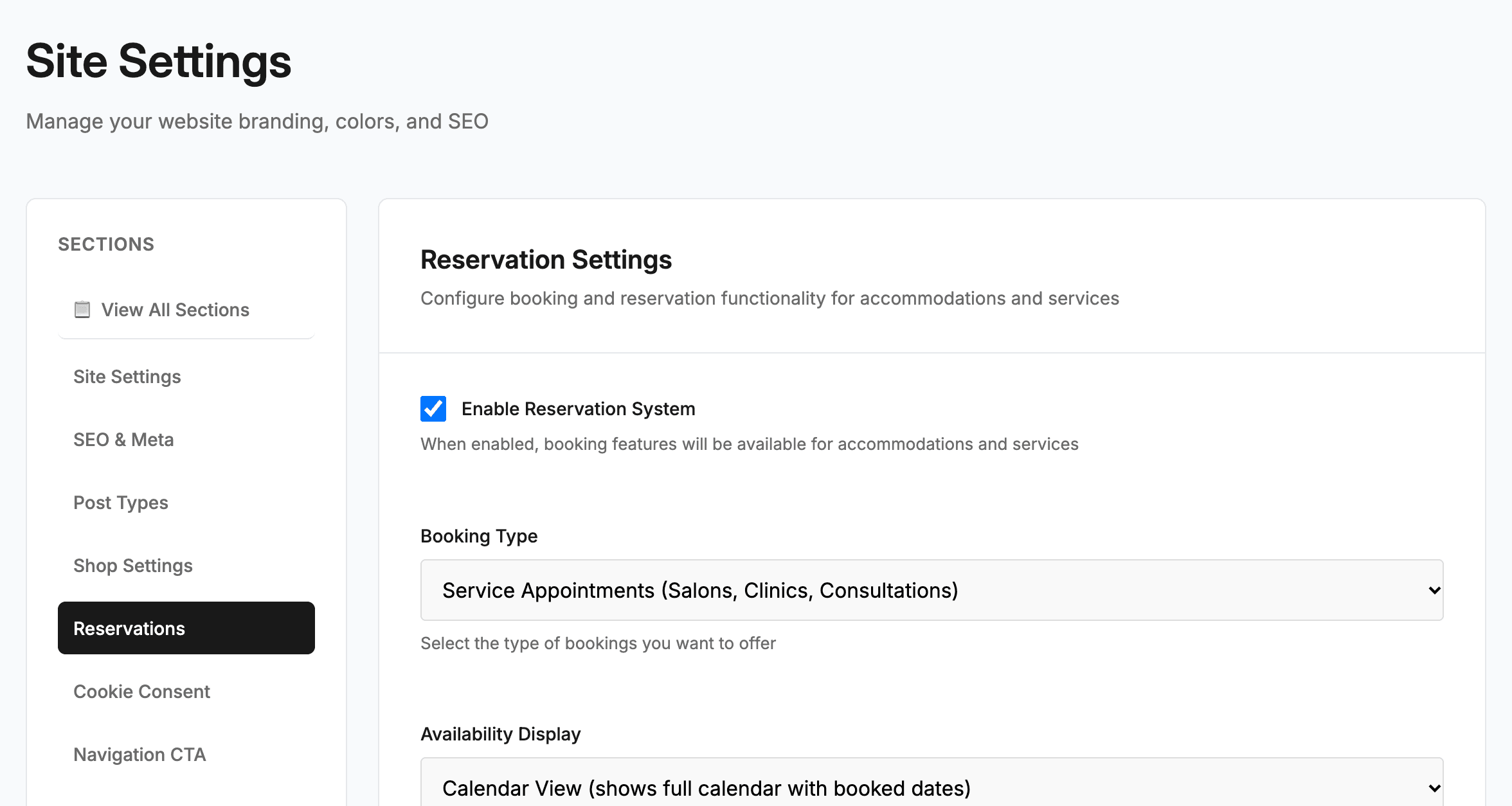
Step 1: Add the workshop as a service
- Under Services offered, click + Add service.
- Enter the name ("Make-up workshop"), Duration (min) (120) and Price per person (3500).
- In Capacity, enter the number of places: 6.
- Tick Group session. That way all six participants share one slot, instead of each taking a "chair" of their own.
- Under Days this service runs, tick the day you hold the workshop, e.g. Thu. If you tick nothing, the workshop is offered every working day.
- In Description, write what participants need to know, e.g. "Group workshop, up to 6 people."
- Click Save Changes in the bottom right corner.
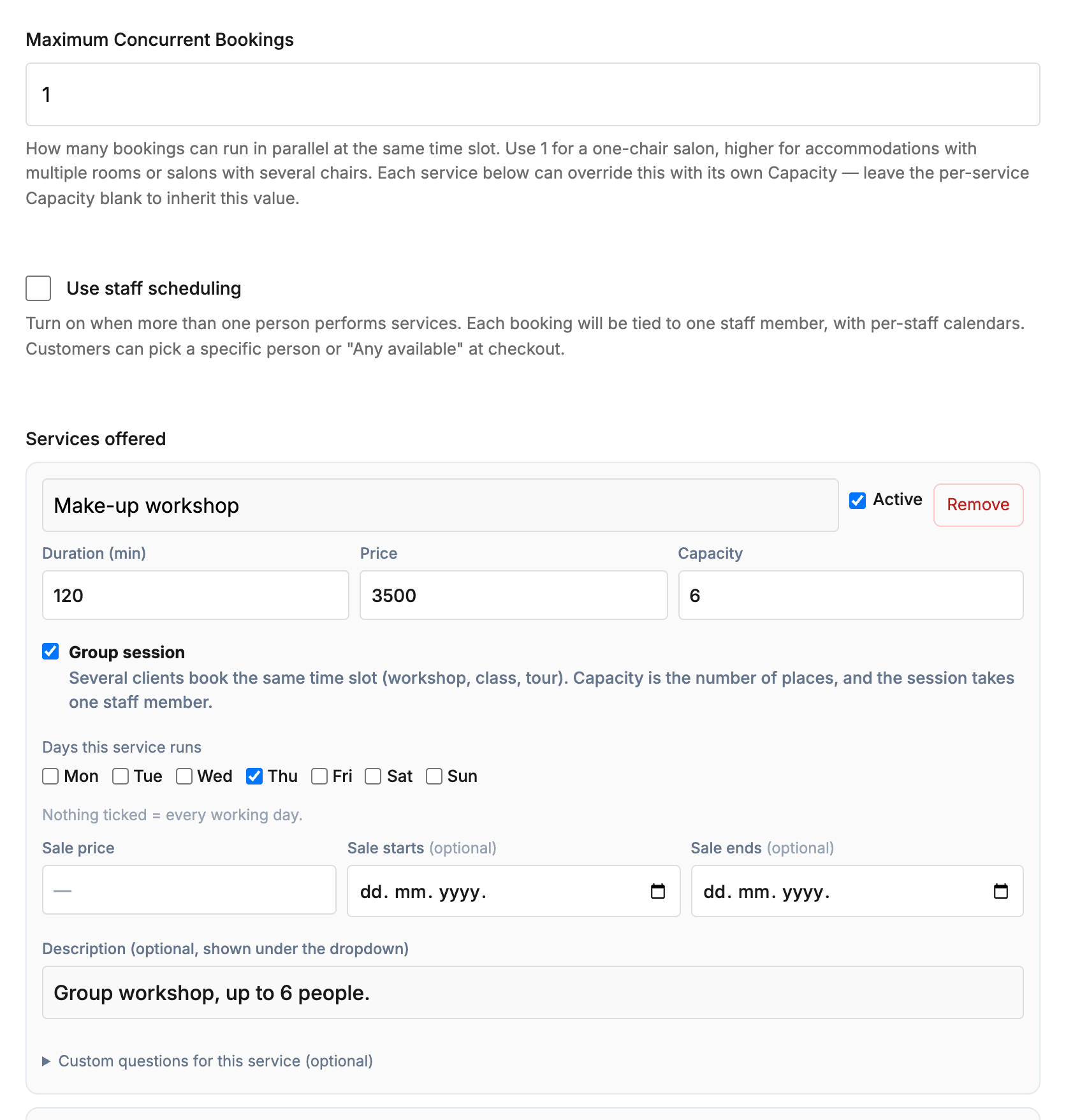
The Maximum Concurrent Bookings field above the services list says how many appointments the salon can run at the same time (e.g. how many chairs it has). If you leave it at 1, individual services stay "one client per slot" and the workshop has six places.
What participants see
A participant picks the workshop, then a day and a time, like any other service, and signs up for herself. Only the days you ticked are open in the calendar:
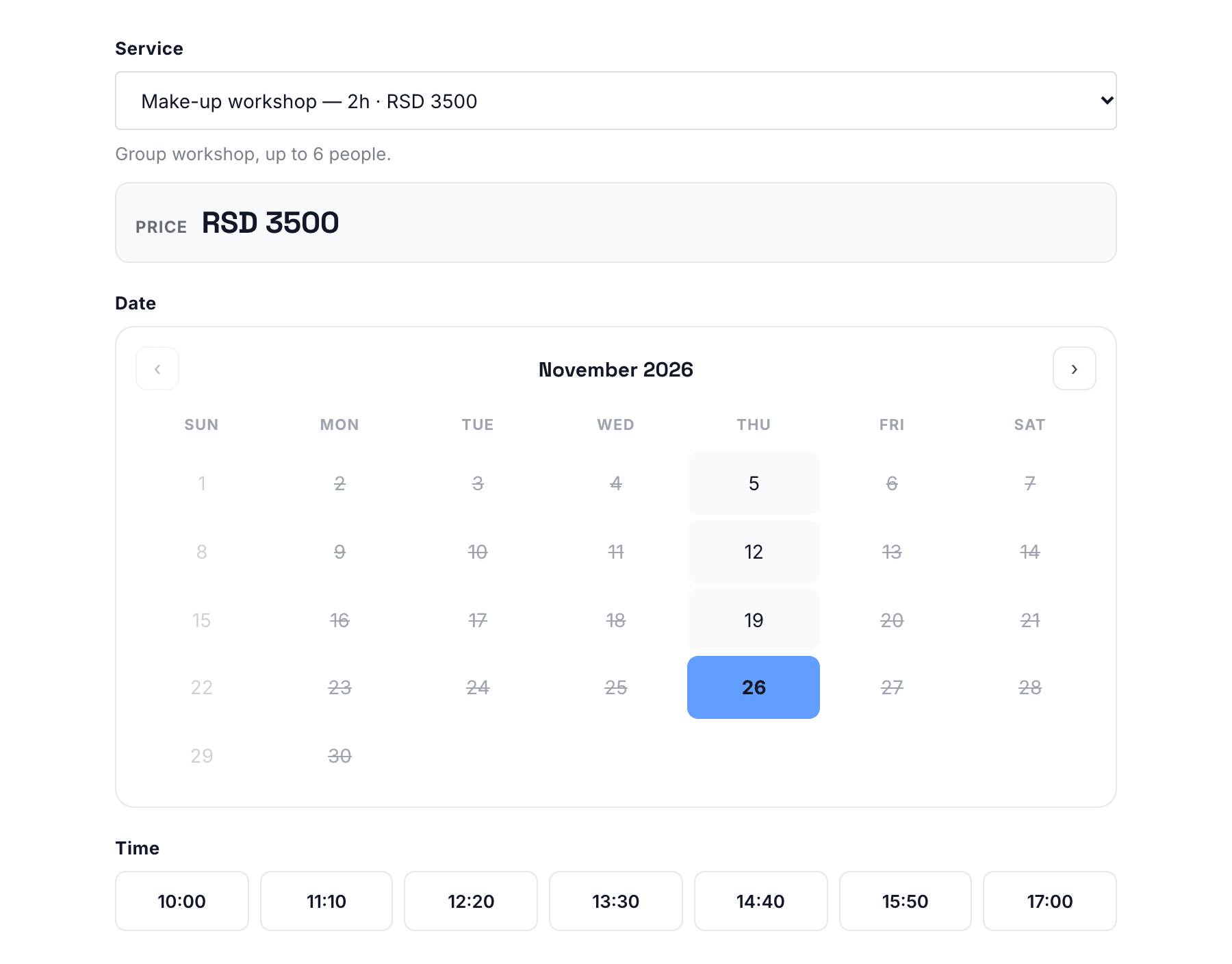
Each sign-up takes one place. While there are places left, the slot is offered to the next person. When the sixth signs up, the slot is struck through and can't be selected. You see each sign-up separately in the left menu under Reservations, Bookings.
How the calendar counts places
Only sign-ups for the same workshop at the same time take places. Each participant who picks the workshop on Thursday at 6 pm takes one of the six places. A haircut someone books at the same time doesn't take a place in the workshop.
The workshop takes the salon as one appointment. However many people have signed up, the workshop counts as one booked slot. If Maximum Concurrent Bookings is 1, individual services aren't offered while the workshop runs. If it's 2, one more individual appointment can run alongside it.
A different start time is a different workshop. A sign-up for 6 pm and one for 6:30 pm aren't the same slot. With room for one appointment at a time (a value of 1), two overlapping workshops can't run at once.
With staff scheduling, one person leads the workshop. When Use staff scheduling is on, under Performed by on the service tick who runs the workshop. Each workshop has its own six places with that person, and while it runs they don't take other clients. A client who picks Any available joins a workshop that already has sign-ups first, and only then goes to the next free person. More on staff in booking with multiple staff.
In short
- The workshop added as a service with a duration, price per person and Capacity (number of places).
- Group session ticked.
- The days ticked under Days this service runs.
- Maximum Concurrent Bookings set to how many appointments the salon can run at the same time.
- With staff scheduling: the person who leads the workshop ticked under Performed by.
- Test sign-ups: does the slot disappear once the places are filled?