Introductory period - every feature free, no credit card
Small business SEO

Small business SEO -
built in, no plugins or agency

The technical groundwork for Google is done automatically in Emit: sitemap, structured data, fast pages and redirects. You get a preview of how each page looks in Google results and clear hints on what to fix - with AI or by yourself. The foundation is in place; nobody can guarantee the first spot.

No plugins · Automatic sitemap · Google Analytics


Preview while you edit

See how a page looks on Google - and when someone shares it

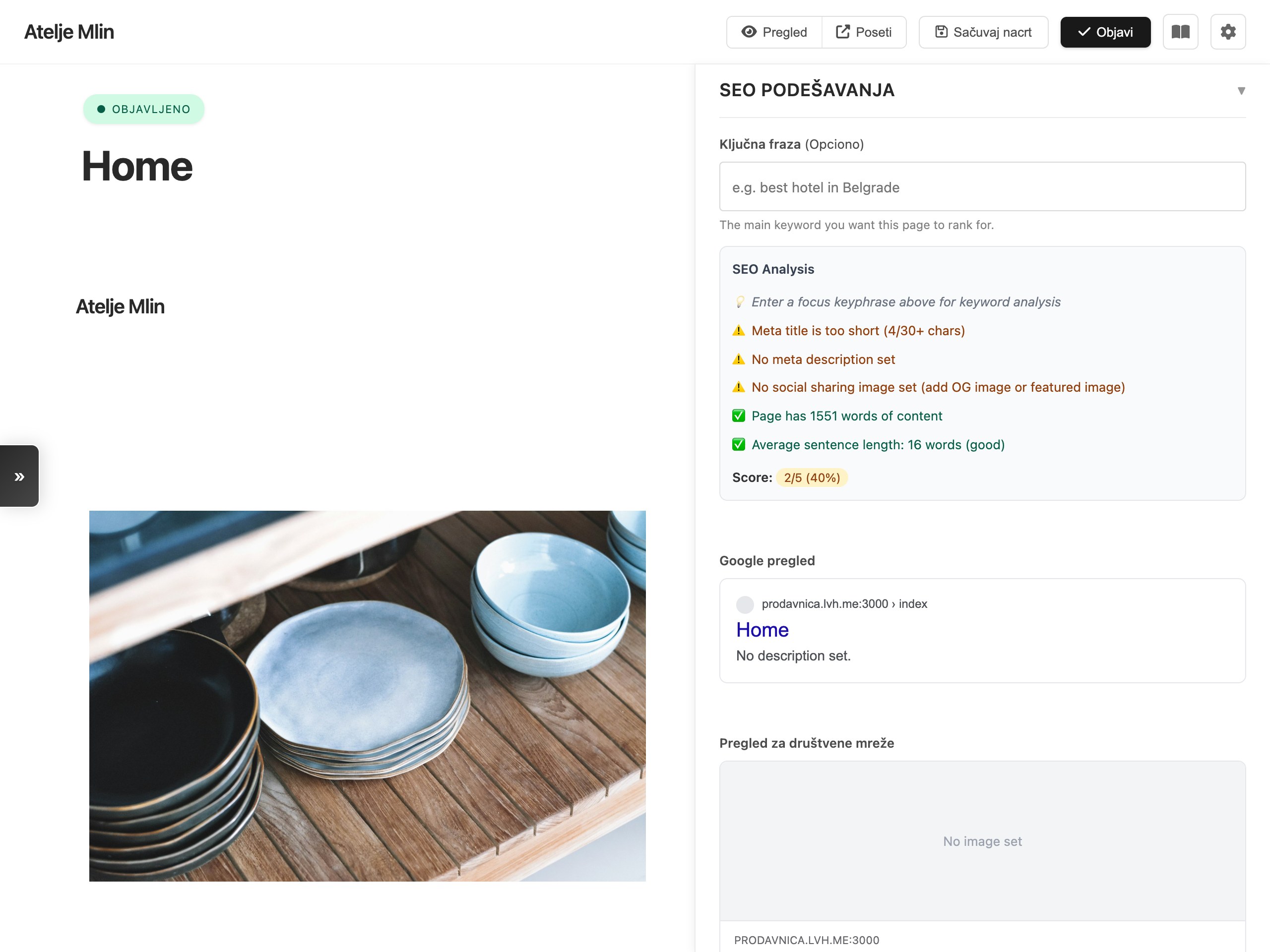
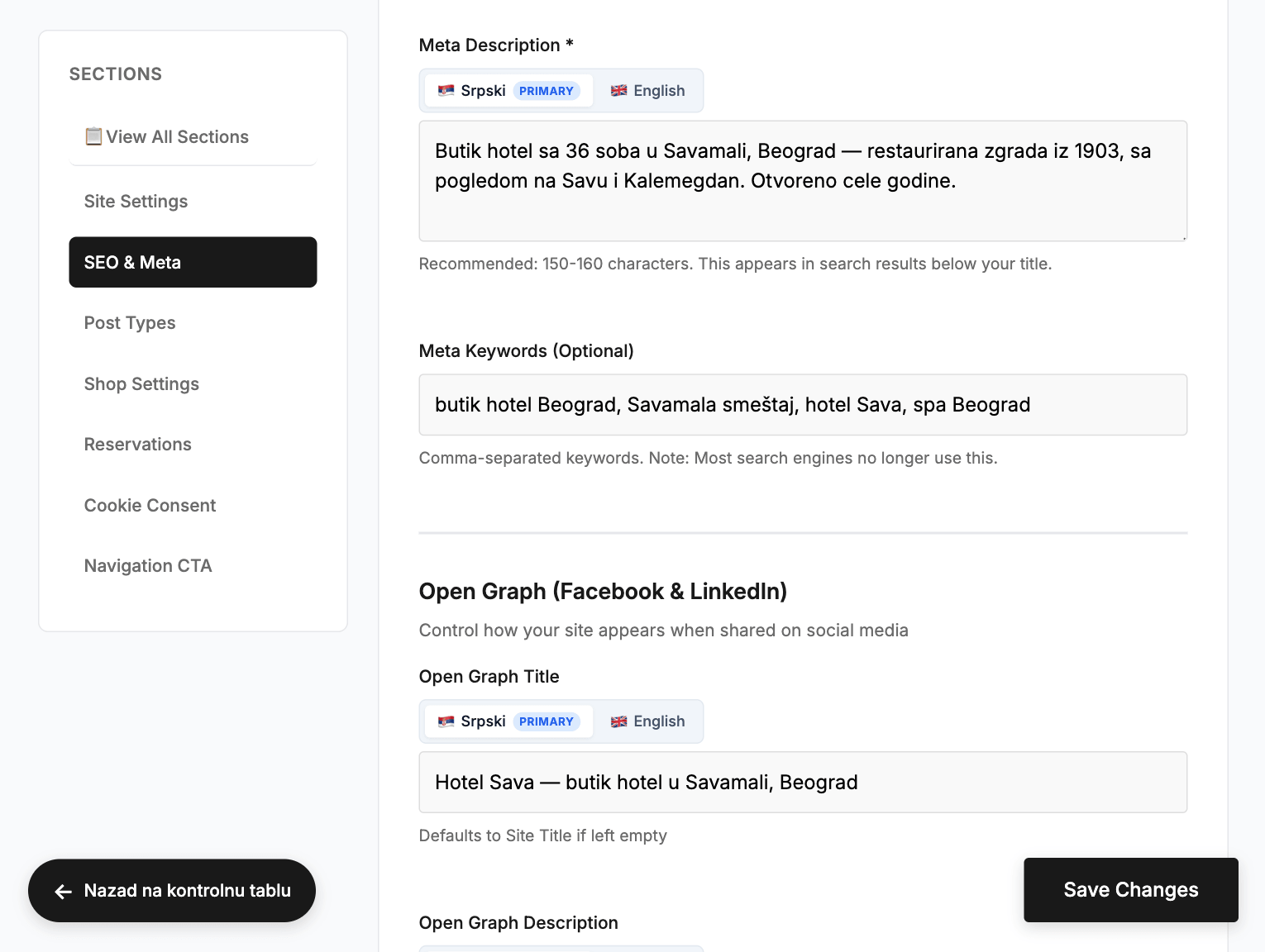
While you edit a page, Emit shows how it will appear in Google results and when someone shares it on Facebook or WhatsApp. You set the title and description per page, with site-wide defaults so no page is left without them.

  • Google search-result preview - title, address and description
  • Social sharing preview, with image
  • Per-page title and description, plus site-wide defaults
Google search-result preview in the Emit editor

Keyphrase and readability

Type the phrase people search for - Emit checks the page

For example "hairdresser Novi Sad". Emit checks whether the phrase is in the title, description and page address, whether the title and description are the right length, whether there is enough text and whether sentences are short and readable - and tells you what to fix.

  • Phrase in the title, description and page address
  • Title and description length for Google
  • Enough text and readable sentences
Keyphrase and readability analysis

Automatic, no setup

The technical side runs itself

The things you would otherwise hire a developer or install plugins for, Emit does on every publish - without a single click from you.

  • Structured data - business type, address, opening hours, FAQ
  • Automatic sitemap.xml and robots.txt
  • IndexNow notification to search engines on publish
  • Automatic 301 redirect when a page changes its address
  • Automatic llms.txt for AI assistants
Automatic sitemap and technical SEO settings

Google Analytics

How many people visit and what they read

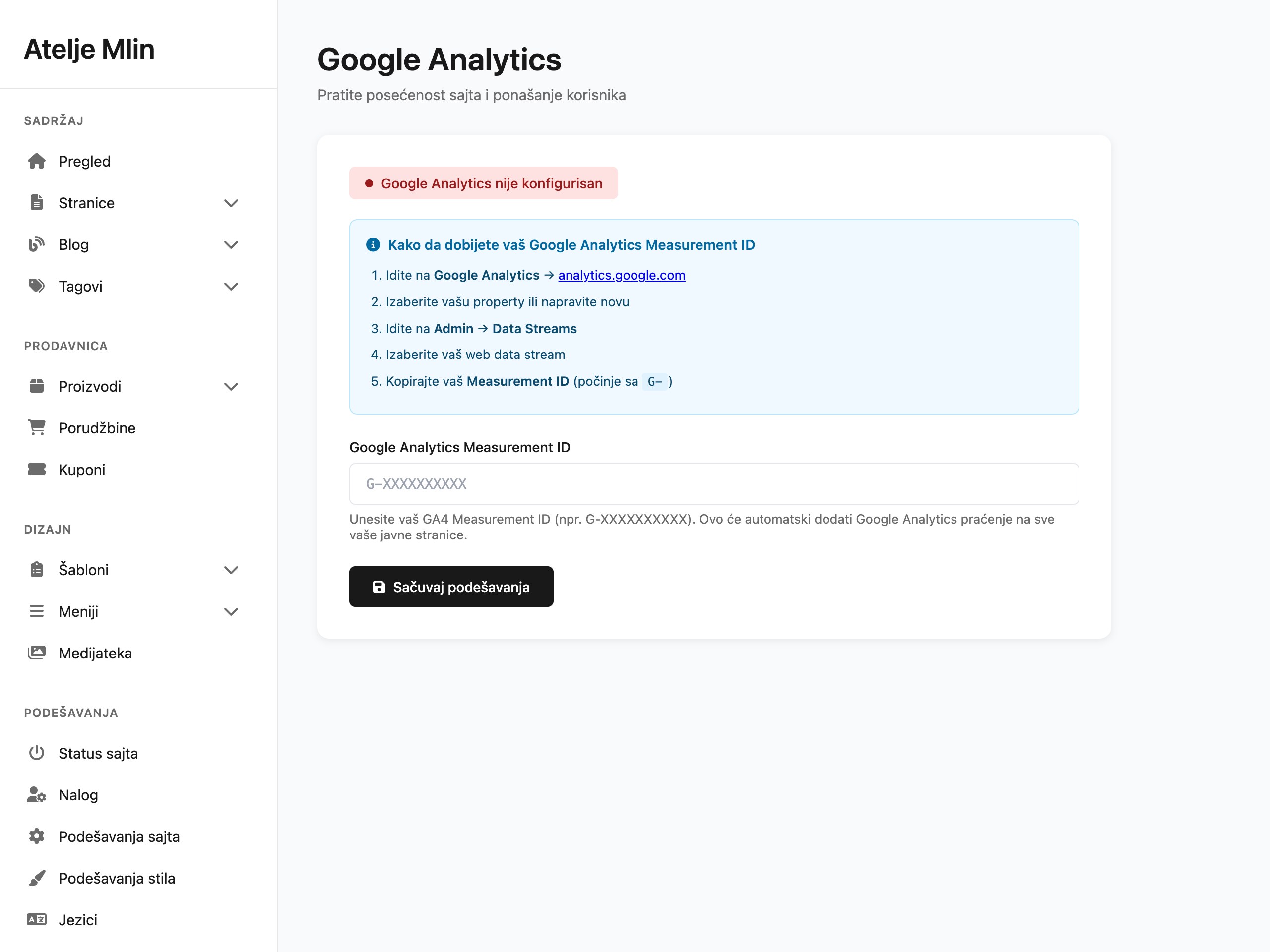
Enter the Measurement ID from your Google Analytics account and Emit adds tracking to every page. See how many visitors you have, where they come from and which pages they read.

  • Just the Measurement ID - no code
  • Tracking on every page automatically
  • Data stays in your own Google Analytics account
Connecting Google Analytics in Emit

Local SEO

Google Business Profile and your site work together

For searches like "dentist near me" Google looks at both your Google Business Profile and your website. You manage the profile for free at Google, while Emit writes your address, opening hours and business type on the site in a format Google understands - so the two match.

How to set up the profile and what actually helps a small business:


AI search and AI assistant

Ready for Google - and for ChatGPT

More and more people ask ChatGPT instead of Google. Emit automatically generates llms.txt for AI assistants on your site, alongside structured data that both Google and AI tools read. More in AI search and small business.

You can also hand SEO chores to AI: tell ChatGPT or Claude what you need, and new pages arrive as drafts you review. Connect ChatGPT or Claude to Emit.


Who it's for

Local search matters for every kind of business

People search for a service plus a town. See what Emit offers for your field - or browse all industries.

RestaurantA menu and opening hours Google can readView → Vacation rentalFound by location, in several languages, no commissionView → Dental clinicServices, prices and booking for local patientsView → Hair salon"Hairdresser + town" searches and online bookingView → Car serviceServices, location and hours in one placeView → Law firmPractice areas and contact details clients can findView →
Why built-in SEO

The groundwork is done - your content does the rest

No plugins

On WordPress, SEO usually means plugins that need updating. In Emit it is part of the platform.

Fast pages

Images are converted to WebP automatically and the site is served over a CDN. Speed is one of the signals Google uses - not the only one.

Content makes the difference

Rankings depend on your copy, reviews and competition. That is why writing helps - a blog is included.


FAQ

SEO questions

If your question is not here, write to us at [email protected] - a real person replies, in Serbian or English.

Does Emit guarantee the first spot on Google?

No. Nobody can honestly guarantee a ranking - not Emit and not an agency that promises it. Emit takes care of the foundation (sitemap, structured data, fast pages, redirects); where you rank depends on your content, competition, reviews and time.

What does Emit do for SEO automatically?

Emit generates sitemap.xml and robots.txt, adds structured data (including your business type and FAQ), notifies search engines via IndexNow when you publish, creates a 301 redirect when a page changes its address, and generates llms.txt for AI assistants. You fill in titles, descriptions and copy.

Do I need an SEO agency?

For the basics, usually not. Emit handles the technical side, and you can write titles, descriptions and keyphrases yourself or with AI. An agency makes sense for tough competition and ongoing content work. More in How much does SEO cost.

How do I show up on Google Maps?

For maps and "near me" searches the most important thing is a free Google Business Profile, which you manage at Google. Your Emit site complements it: address, opening hours and business type are written on the site in a format Google understands. Step by step: Google Business Profile guide.

Can AI do my SEO?

Much of it, yes. Connect ChatGPT or Claude to Emit and ask, for example, for titles and descriptions for all your service pages or an FAQ section with the questions customers ask. New pages and sections arrive as drafts - you review and publish.

What is llms.txt?

llms.txt is a short plain-text description of a site meant for AI assistants such as ChatGPT and Claude. Emit generates it automatically for every site from your business details and pages, so AI tools have accurate information about you.

How do I connect Google Analytics?

Enter the Measurement ID from your Google Analytics account in the settings and Emit adds tracking to every page. No code to write or paste.
The groundwork for Google is done.
You write about your business.

Start for free