Introductory period - every feature free, no credit card
Website builder

Build your website with AI or by yourself - no code needed

You never start from a blank page. You build the site from ready-made, professionally designed sections and only change the text and images - or tell ChatGPT or Claude what you need and get a draft to review before it goes live. Your first page is live within minutes of signing up; a full site with your own content usually takes an afternoon.

No code · No designer · No credit card


Ready-made sections and templates

A site built from ready-made parts

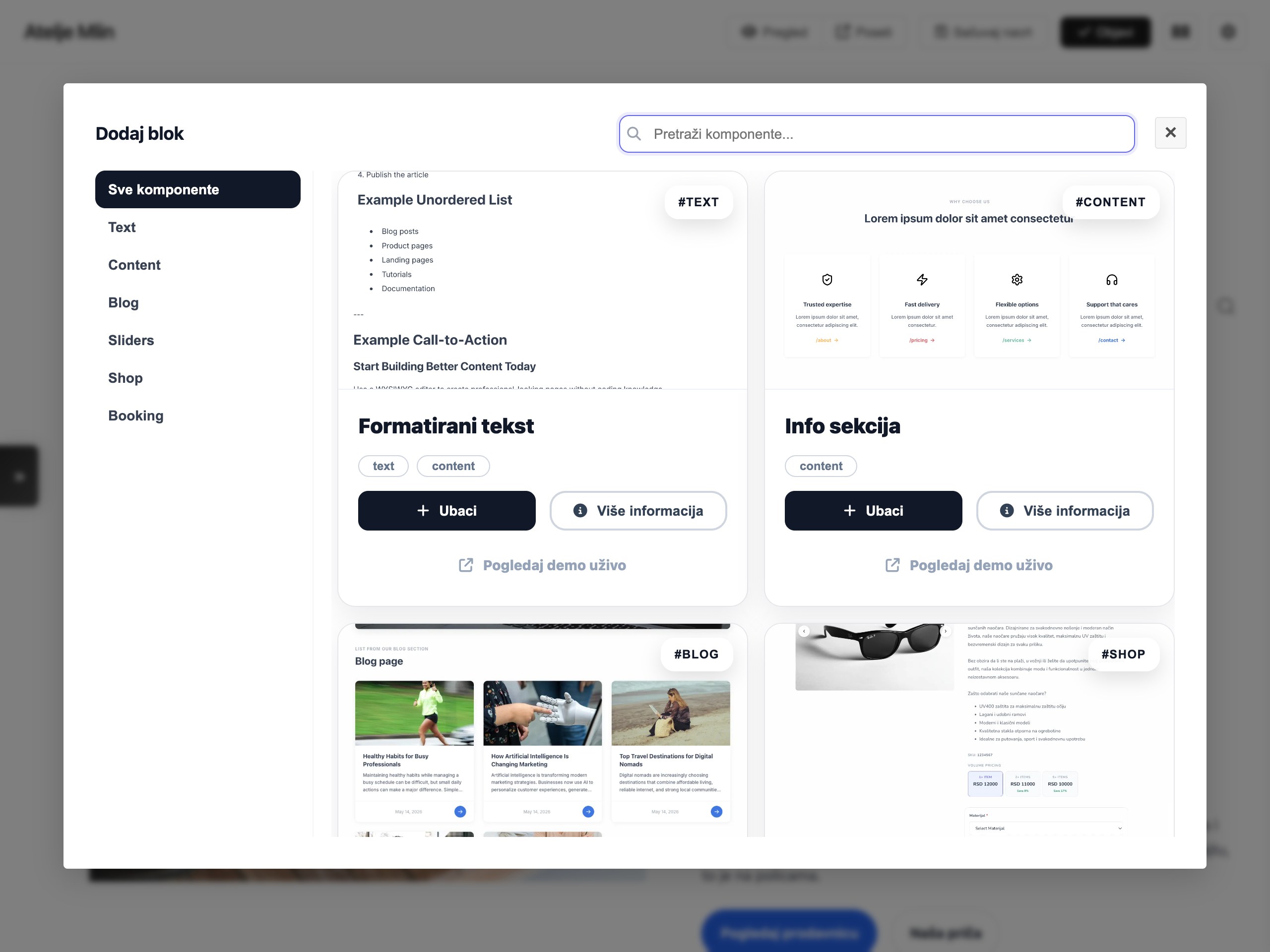
Hero sections, galleries, price lists, forms, client testimonials - you pick from a library of ready-made sections and adapt them to your brand. There are 100+ page templates - all premium designs, all included; no template is sold separately. Browse the templates.

  • Hero sections, sliders, galleries and video
  • Contact forms, FAQs, team and testimonials
  • Price lists, calls to action and newsletter sign-up
  • Blog overviews, portfolio and product lists
Library of ready-made sections in the Emit editor

Visual editor

Click, change, see it instantly

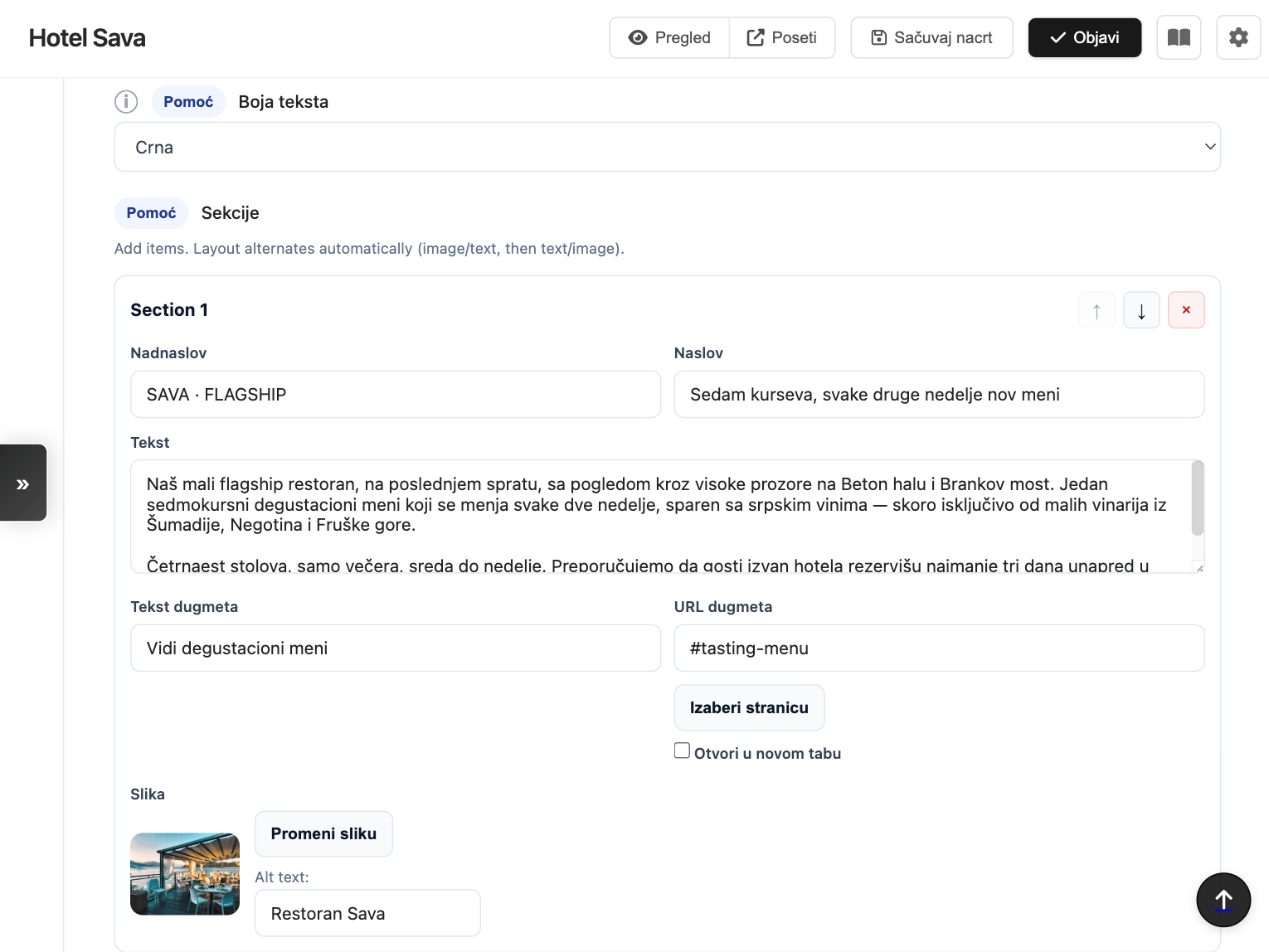
Click any part of a page to change its text, image or link. You see the change right away, before publishing. Spacing, fonts and layout are preset in every section, so the site stays tidy more easily even when you edit it yourself.

  • Edit text, images, links and icons with a click
  • One colour palette for the whole site
  • Preview for phone, tablet and desktop
  • Drafts before publishing - visitors only see what you publish
Visual editor - edit content with a click

With AI

Say what you want - the AI drafts it, you publish

Emit has an official connector (MCP) for ChatGPT and Claude. Once connected, the AI works directly in your Emit account: it reads your business details, picks sections from the same catalogue the editor uses, writes the copy and saves the page as a draft. Nothing goes live until you review it and click Publish.

For example, you could write:

  • "Create a Services page with the prices from this price list and add it to the menu."
  • "Write a blog post on how to prepare for a first appointment, with five common questions."
  • "Add an English version of the homepage and make the buttons green."
1 message
for a new page, blog post, product or price change - no clicking through forms
Draft
everything the AI makes waits for your review, and you edit it like any other page
You decide
what the AI may change; you grant and revoke access yourself

How AI website tools differ: read AI website builders - what they really do.

YouMake a page for the summer manicure offer: headline, what you get, prices, testimonials and a booking call to action. Save it as a draft.
read business details and price listpicked 5 sections following the page-flow guidesaved draft: /admin/summer-offer
AIThe draft is ready. I took the prices from the Services page and left three testimonial placeholders. Want me to add it to the menu?
YouYes, and make the buttons green.
menu updatedstyle: button colour → secondary

Site-wide design

Set it once, it applies everywhere

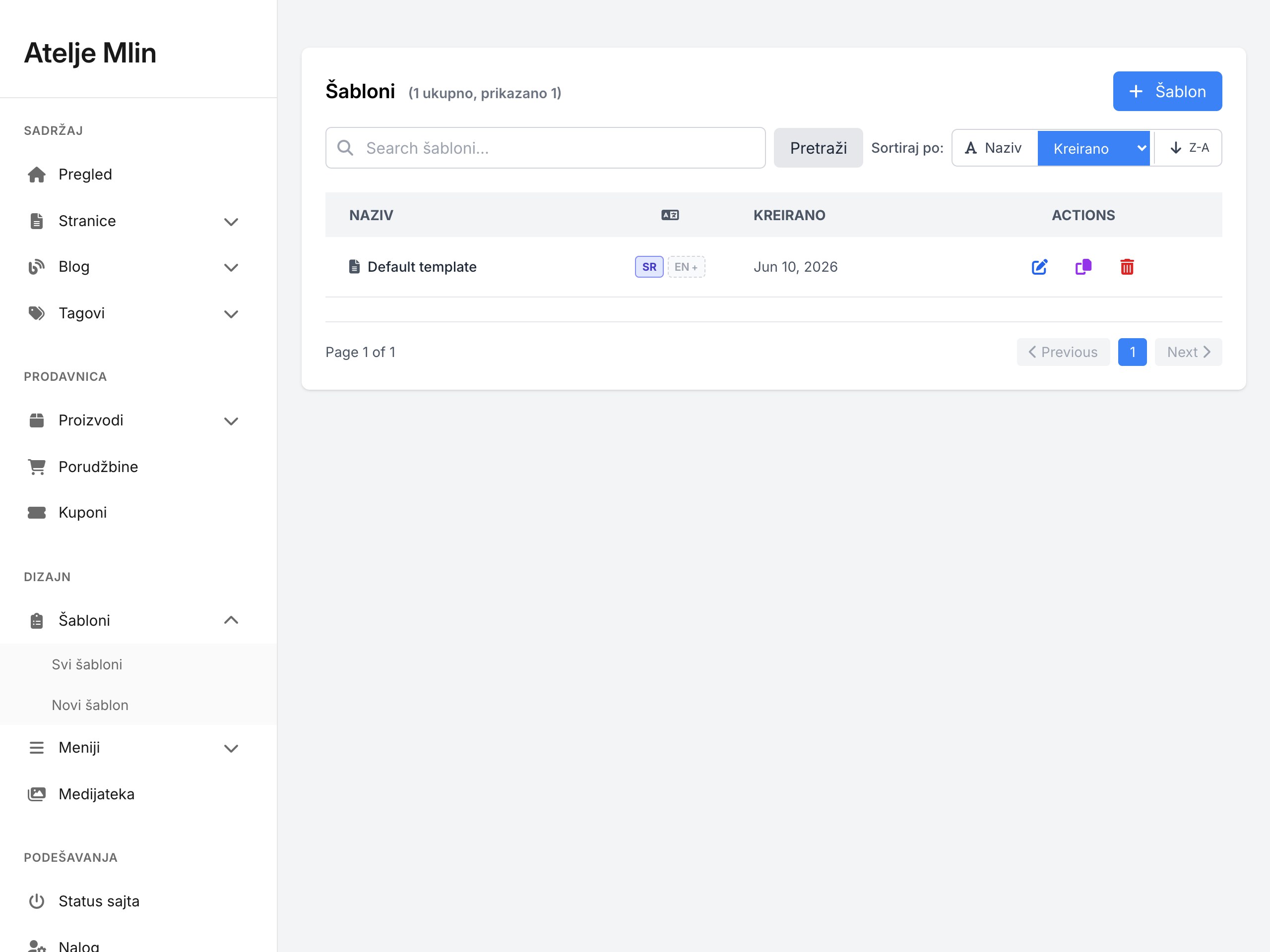
Menu, footer, colours and fonts are set in one place. Change them once and every page follows - no reworking page by page.

  • Several menu and footer styles
  • One palette of colours and fonts for the whole site
  • A single page can depart from the base look when needed
Site-wide design settings

Images

Images optimised automatically

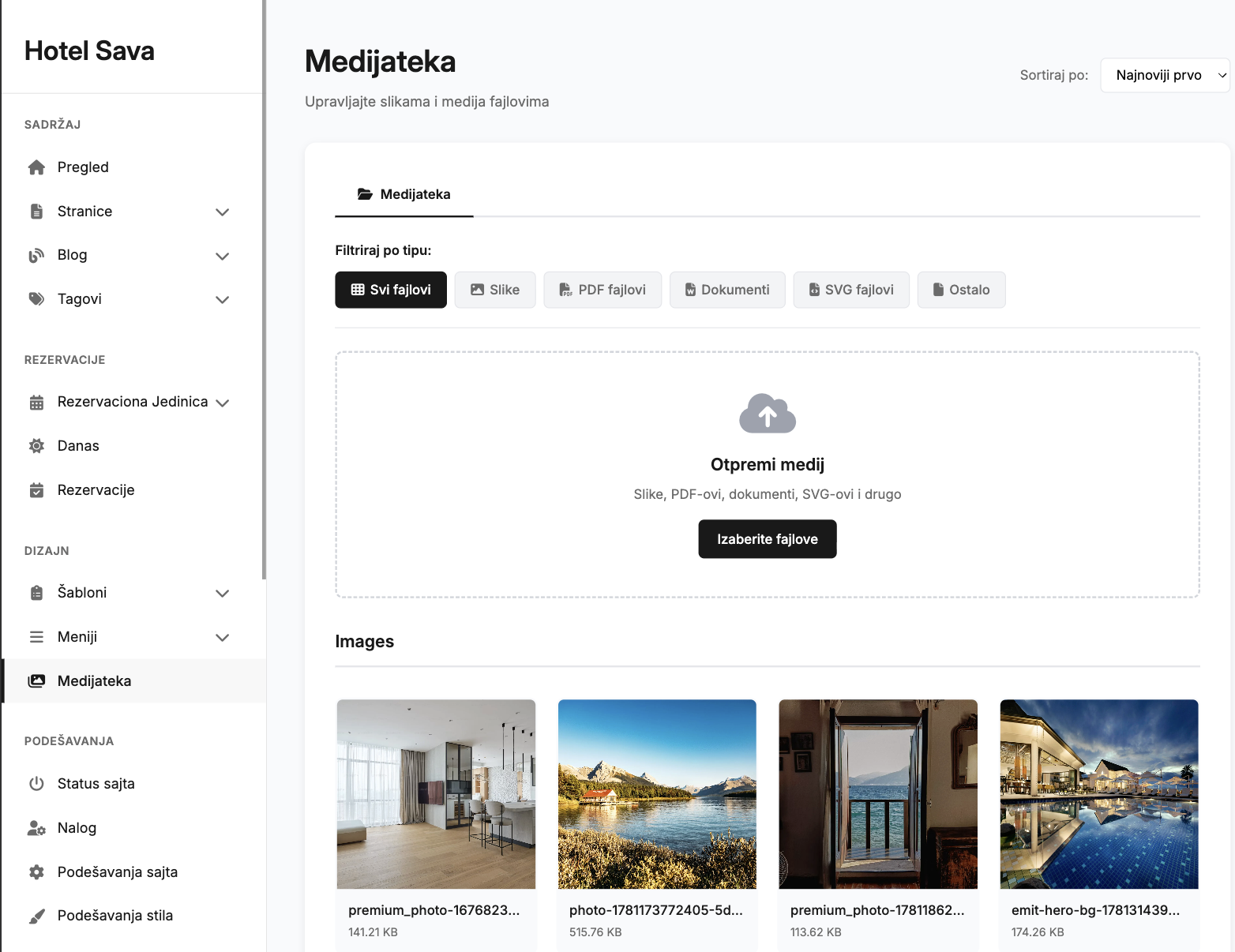
Add your images and Emit converts them to WebP and shrinks the file size automatically, so the site stays fast without any effort on your part.

  • Automatic WebP conversion - smaller files, faster loading
  • Originals are kept
  • Drag images straight into the editor
Image library with automatic optimisation

Why Emit

What it gets you in practice

A site in an afternoon

Your first page is live within minutes of signing up; a full site with your own content usually takes an afternoon - by yourself or with AI.

Changes at no cost

You change text, images and layout yourself whenever you like - no paying for every edit and no waiting on an agency.

Edit from your phone

You can edit the whole site and every feature from your phone - no need to sit down at a computer to see all the options, as many editors require.
Who it's for

A website for your type of business

Each business type has a starter site with sections and copy that fit it - you only change what is yours. All business types.

RestaurantMenu, food photos, table reservations and opening hoursRestaurant website → Vacation rentalGallery, seasonal prices and direct bookings with no commissionVacation rental website → Hair salonServices with prices and online appointment bookingSalon website → Dental clinicTreatments, team, patient FAQs and appointmentsClinic website → Law firmPractice areas, team and an enquiry formLaw firm website → Car serviceServices, prices and service bookingCar service website →
FAQ

Questions about building your site

You can grow the site later without switching tools: an online store, online bookings, a blog, a newsletter and SEO tools are all part of the same account.

Not sure what a site should cost? Read how much a website costs. Other questions: [email protected] (support in Serbian and English).

Do I need a developer or a designer to build a website?

No. In Emit you build your site from ready-made, professionally designed sections and only change the text and images - or you describe the job to ChatGPT or Claude. Hosting, SSL and technical upkeep are handled by Emit.

How long does it take to build a website?

Your first page is live within minutes of signing up; a full site with your own content usually takes an afternoon. You save the most time by preparing your texts and photos up front - see what to prepare before building a website.

How does the AI build a site in Emit?

You connect ChatGPT or Claude to your Emit account through the official connector (MCP). Then you ask in plain words for what you need - a new page, a blog post, a price change. New pages, posts and products arrive as drafts that you review and publish. The connection guide is in the knowledge base.

How much does a website on Emit cost?

0 € during the introductory period, with every feature and no credit card. Plan prices will be published before the introductory period ends, and nothing is charged without prior notice. There are 100+ page templates - all premium designs, all included; no template is sold separately. For a comparison with hiring an agency, read DIY, agency or website builder.

Can I use my own domain?

Yes. Once you connect your own domain, the site runs on it with an SSL certificate. Without one, the same site runs on a free subdomain (name.emit.rs). Emit does not register or sell domains - you buy the domain from a registrar of your choice and connect it to Emit.

Is WordPress better than a website builder?

It depends on how much time you want to spend on upkeep. WordPress gives you a lot of freedom but needs plugins, updates and hosting. Emit keeps everything in one place - the editor, online store, bookings and the groundwork for Google. Full comparison: WordPress or a website builder.

Can I edit the site from my phone?

Yes. You can edit the whole site and every feature from your phone - no need to sit down at a computer to see all the options, as many editors require.
Your first page in minutes.
With AI or by yourself - free.

Start for free - no card