Friday and Saturday sell themselves, while Tuesday sits empty. If the price is the same every day, you either lose money at weekends or scare guests off on weekdays. The fix is different prices per day and the occasional sale to fill quiet dates.
In this post we set up three things on an apartment page:
- a base price per night,
- a higher weekend price,
- a sale price with an end date and countdown.
If you don't have an apartment page yet, start with An apartment booking page from scratch.
Before you start: where things are
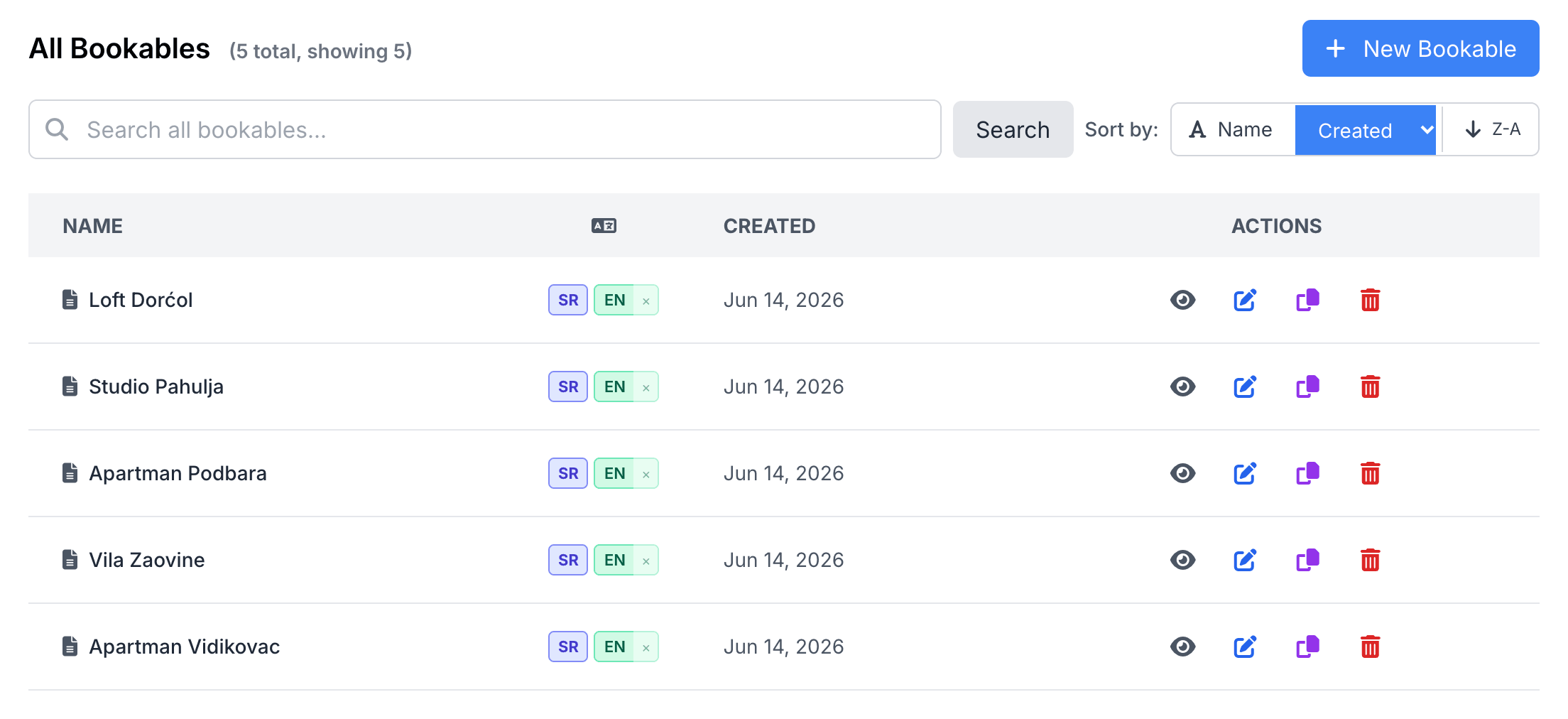
Log in at emit.rs/en/login. In the left menu, under Reservations, click Bookables, then All Bookables. Click the blue pencil on the right of the apartment you're changing. The editor opens with the black Booking Details panel, and all prices are in it.
Step 1: Base price per night
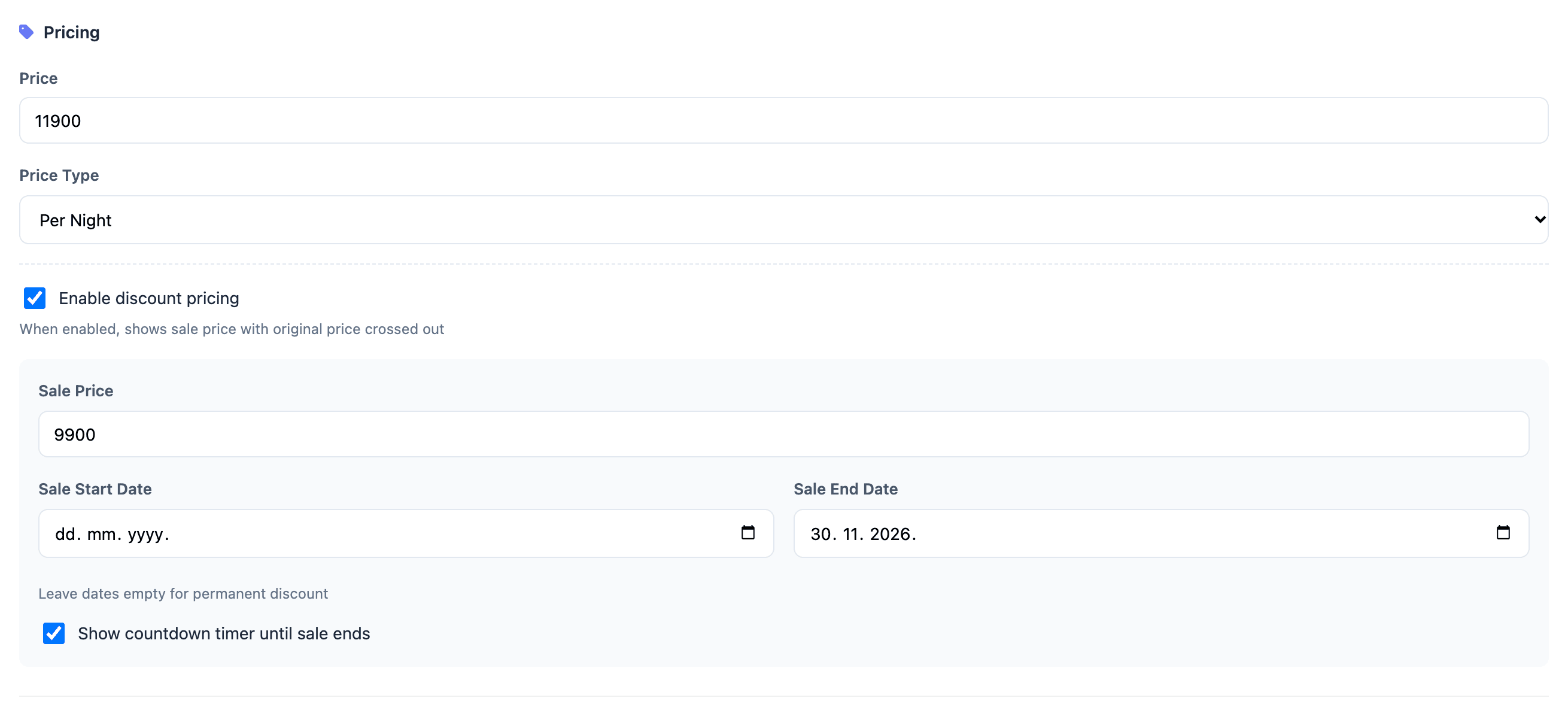
In the Booking Details panel, in the Pricing section:
- In Price, enter the price of one weekday night, e.g. 11900.
- Under Price Type, choose Per Night.
This price applies on every day you haven't set anything else for.
Step 2: A pricier weekend
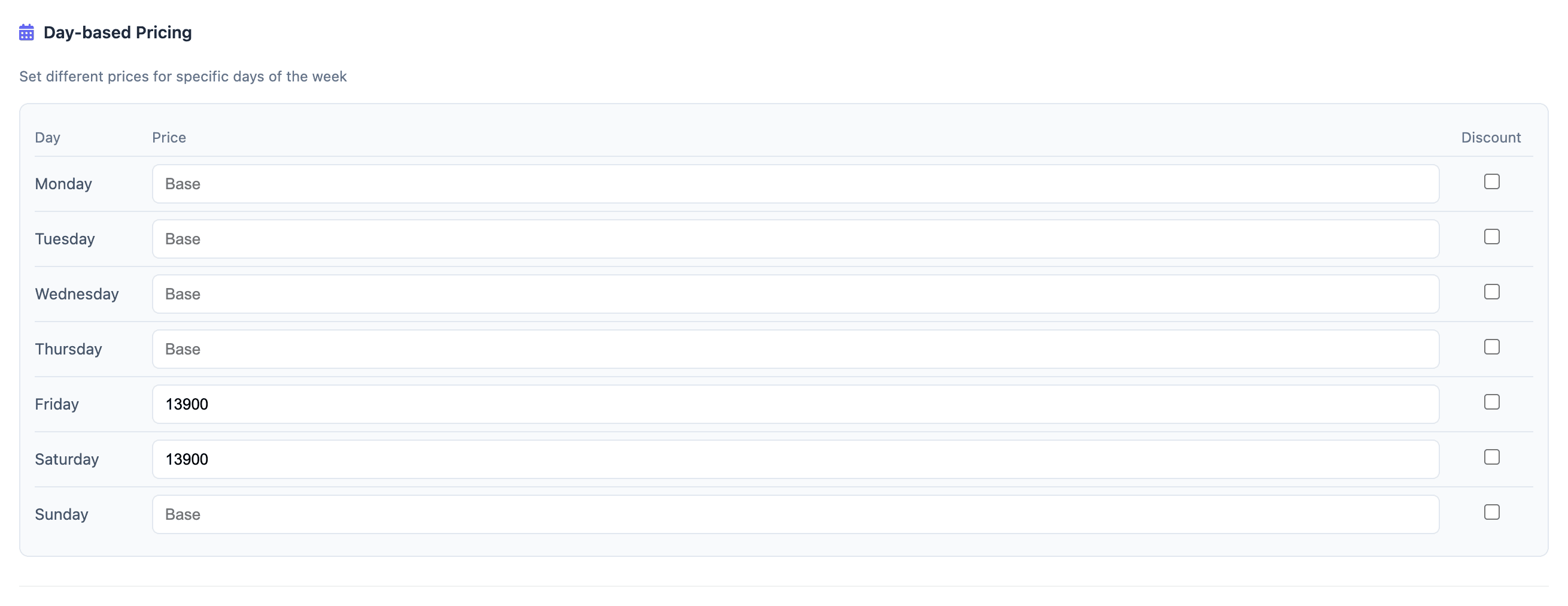
Just below is the Day-based Pricing section. You can enter a separate price for each day of the week:
- In the Friday and Saturday rows, enter the higher price, e.g. 13900.
- Leave the other days empty. An empty field (it says "Base") means the base price applies.
- The Discount column: tick it only if that day's price is lower than the base and you want it shown as a deal, e.g. a cheaper Sunday.
The price is charged per night, by the day the night starts. The night from Friday to Saturday is "Friday". Someone arriving on Friday and leaving on Sunday pays for two weekend nights.
Step 3: A sale price with an end date
Go back to the Pricing section:
- Tick Enable discount pricing.
- In Sale Price, enter the sale amount, e.g. 9900.
- Optionally fill in Sale Start Date and Sale End Date. Leave them empty and the sale runs until you switch it off.
- Tick Show countdown timer until sale ends if you want guests to see how much time is left.
Click Publish in the top right corner of the editor.
Worth knowing: the sale dates control when the guest books, not when they stay. A sale until 30 November means anyone who books by 30 November gets the sale price, even for a stay in December.
What the guest sees
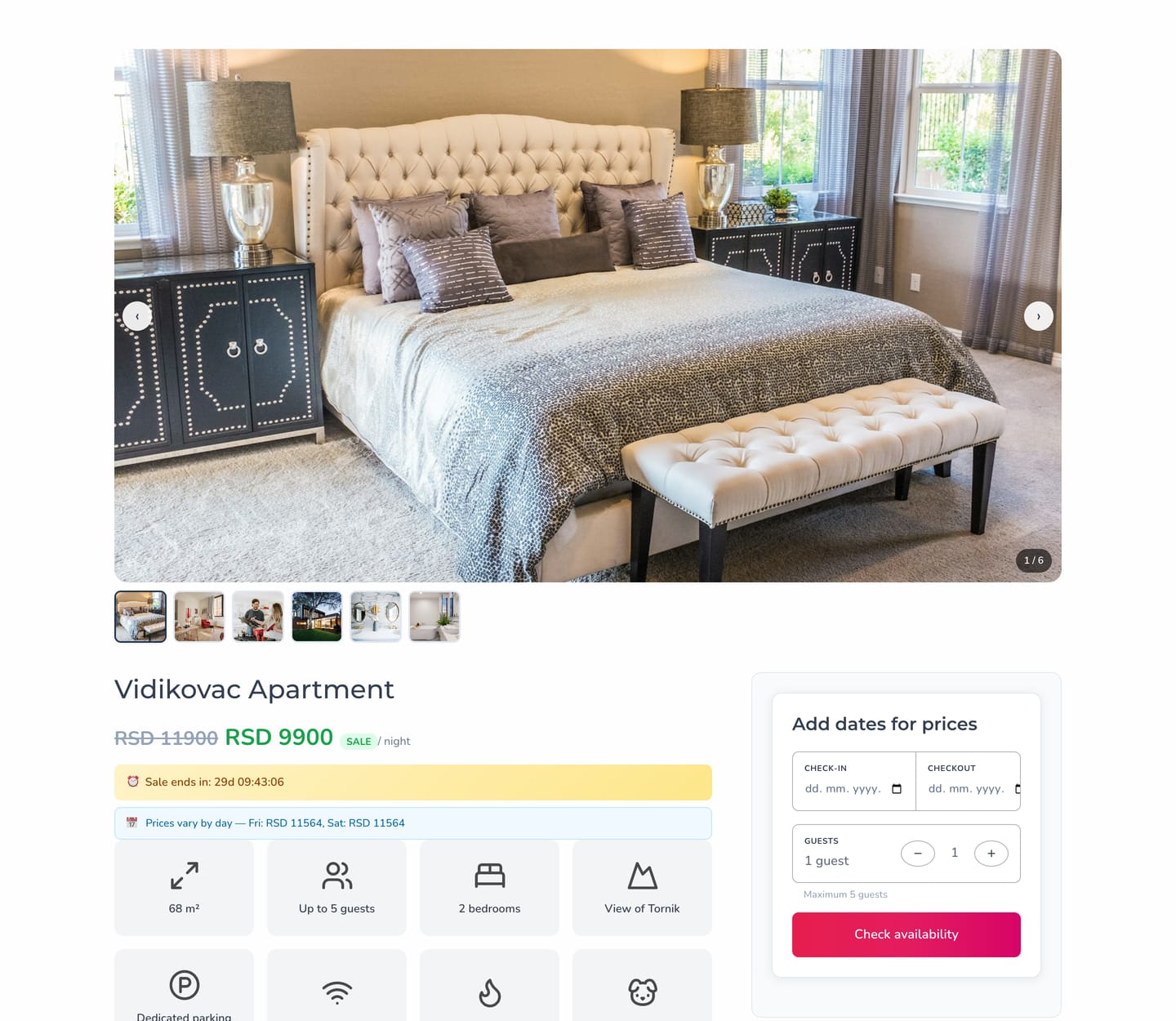
On the apartment page the guest sees the regular price crossed out, the sale price with a SALE badge, a yellow countdown bar and a blue note about day-based prices:
How the total is added up
When a guest picks dates, the system adds up each night separately. Example for arriving Thursday 19 and leaving Sunday 22 November:
| Night | Price |
|---|---|
| Thursday | 9,900 (sale) |
| Friday | 11,564 (Friday price 13,900, same discount) |
| Saturday | 11,564 (Saturday price 13,900, same discount) |
| Total | 33,028 dinars |
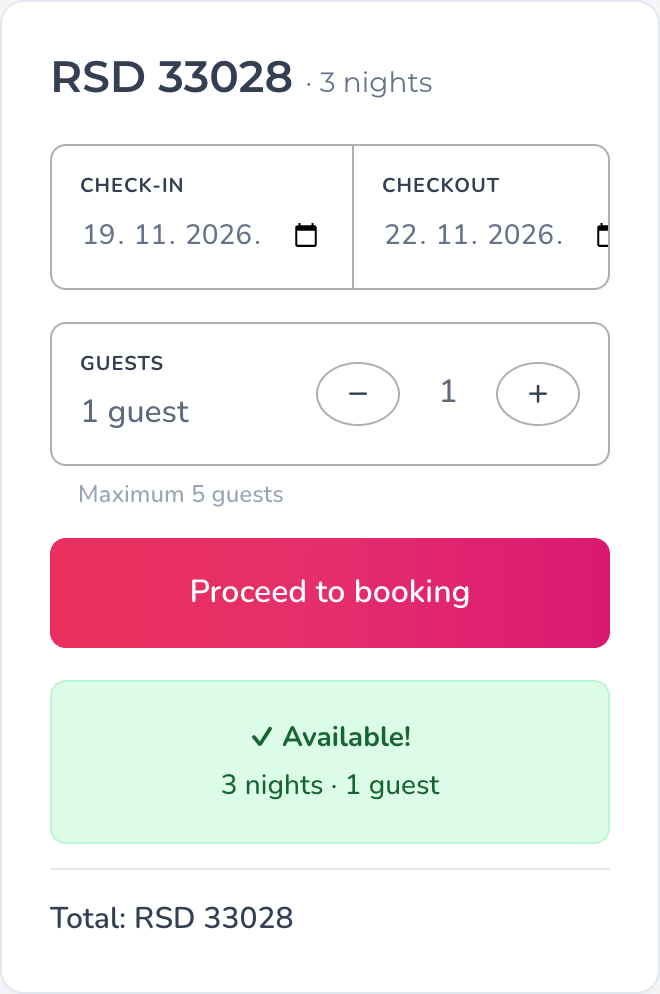
Notice: the sale also applies to days with their own price. A sale from 11,900 to 9,900 is a discount of about 17%, so the system applies the same discount to Friday and Saturday: 13,900 becomes 11,564. The weekend stays pricier than weekdays, but it is on sale too. If you have already entered a reduced price for a day yourself and ticked Discount in that row, it stays exactly as you entered it.
If you've added Extra Services (breakfast, parking), they're added to this total when the guest ticks them.
Pricing tips
- Set the weekend price by your area. Look at how much similar places near you charge on Friday and Saturday compared with weekdays.
- A sale with an end date works better than a permanent one. The deadline and countdown give guests a reason to book now.
- Don't change prices too often. A guest who comes back two days later to a different price loses trust.
In short
- Price + Price Type: Per Night for weekdays.
- Day-based Pricing: a higher price for Friday and Saturday, other days empty.
- Enable discount pricing, the amount, an end date and the countdown.
- Remember: the sale follows the booking date and lowers day prices by the same percentage.
- Check the total on the page, with dates that include a weekend.
If you also rent through other platforms, see what booking commission really costs and why a slightly lower price for direct bookings pays off.